

What Do the Eyes Mean on Snapchat Story? Complete Guide
You post a Snapchat story. A few hours later, you notice a tiny 👀 emoji sitting beneath it. What does that mean? Did someone rewatch it? Are they obsessed with you? Relax. It’s simpler than you think.
This guide breaks down exactly what the eyes mean on a Snapchat story, how the feature works, and what you can actually do with that information.
What Does the 👀 Icon Mean on a Snapchat Story?
The 👀 icon on a Snapchat story is a rewatch indicator. It tells you that at least one person has viewed your story more than once. Think of it like a replay button being hit on your favorite song. Someone liked what they saw and came back for another look.
You’ll find it sitting just below your story, next to your view count. It doesn’t pop up for every story. Only stories that have actually been rewatched trigger it.
Here’s what it does NOT mean:
- Someone screenshotted your story
- A stranger found your profile
- You have a secret admirer (well, maybe)
Do the Eyes on Snapchat Mean Someone Rewatched Your Story?
Yes. That’s exactly what the Snapchat eyes icon signals. At least one viewer came back and watched your story a second time. It won’t tell you who did it by default, but the rewatch happened.
What counts as a rewatch? Snapchat logs it when someone opens your story again after their initial view. Simply tapping back mid-story doesn’t trigger it. It requires a full second session of opening the story.
One important thing to know: multiple rewatches from the same person don’t each generate a new 👀 icon. Snapchat bundles it all under one indicator.
How the Snapchat Story Rewatch Indicator Works
Here’s the simple version. Snapchat tracks each time a user opens your story. The first open counts as a view. Any open after that counts as a rewatch. Once a rewatch happens, the 👀 appears on your end.
Does it update in real time? Mostly yes, though some users report a short delay depending on app version and connection speed. Once your story expires after 24 hours, the rewatch data disappears along with it.
Think of it like a website tracking return visitors separately from first-time visitors. Same concept, just baked into a social app.
Is the Eyes Feature Available for Everyone or Only Snapchat+ Users?
Here’s where a lot of people get tripped up. The 👀 rewatch indicator is a Snapchat+ exclusive feature. Free users simply don’t see it.
Snapchat+ is Snapchat’s paid subscription, currently priced at $3.99 per month in the US. It unlocks a handful of premium features, and the rewatch indicator is one of the most talked-about perks.
| Feature | Free Snapchat | Snapchat+ |
| Story view count | Yes | Yes |
| Viewer names | Yes | Yes |
| Rewatch indicator (👀) | No | Yes |
| Rewatch count | No | Yes |
So if you’re on the free plan and you’ve never seen the eyes icon, that’s why. You’d need to upgrade to Snapchat+ to access it.
How to See Who Rewatched Your Snapchat Story
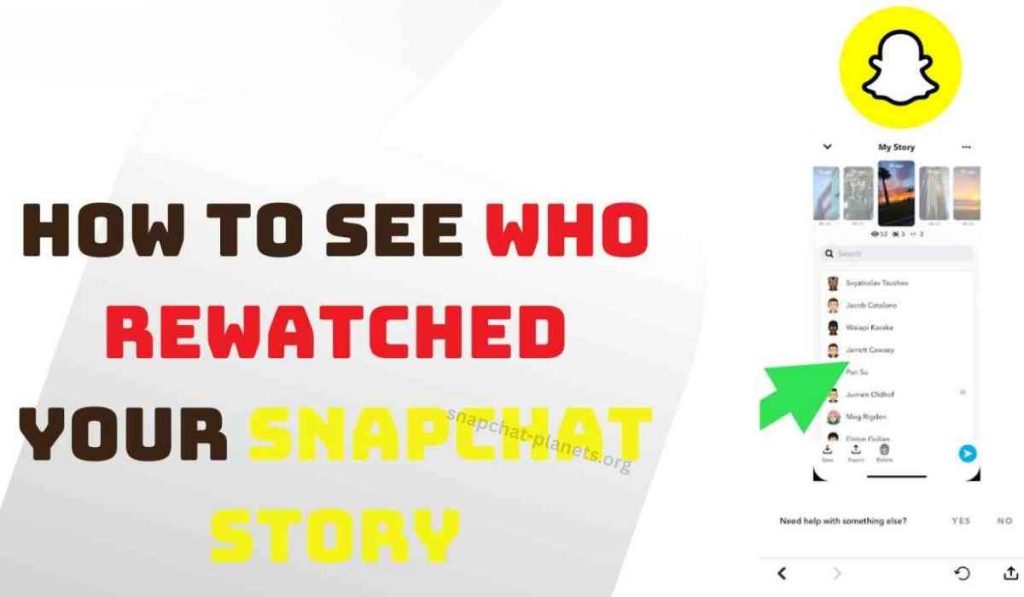
Knowing the 👀 is there is one thing. Digging into the details is another. Here’s how Snapchat+ users can check rewatch data:
- Open Snapchat and head to your profile
- Tap on your active story
- Swipe up on the story to open viewer details
- Look for the 👀 icon alongside your viewer list
Now, the big question everyone asks: can you see exactly who rewatched your story? Not always. Snapchat shows rewatch counts but doesn’t always name the specific rewatcher. The level of detail can vary based on your app version and ongoing Snapchat updates.
Snapchat Eyes vs Story View Count: What’s the Difference?
These two metrics are not the same thing and mixing them up causes a lot of confusion. Your view count shows how many unique people opened your story. The eyes icon shows that at least one of those people came back for more.
Here’s a quick example. Say 80 people viewed your story. If 10 of them rewatched it, your view count still reads 80 but the 👀 appears to signal those extra sessions.
Why does this matter? Rewatches signal strong engagement. A funny video, a surprising announcement, or a confusing post all tend to get rewatched more. For anyone using Snapchat for personal branding or content, rewatch data is genuinely useful insight.
Can You Turn Off the Eyes Icon on Snapchat?
As of now, there’s no direct toggle to disable the 👀 icon if you’re a Snapchat+ subscriber. It comes with the subscription. You can’t switch it off from your settings panel.
On the viewer’s side, there’s also no way to rewatch a story anonymously and avoid triggering the indicator. If you rewatch, Snapchat logs it. That’s just how the feature works.
If privacy is a concern for you as a viewer, the safest move is simply watching the story once and moving on.
Do the Eyes Appear on Private Stories?
Yes. The rewatch indicator works on private stories too, not just public-facing ones. If you’ve set up a private story for a select group of friends and one of them rewatches it, the 👀 icon will still appear for Snapchat+ users.
The same applies to custom friend lists. Snapchat tracks rewatches regardless of your audience size or privacy setting. Whether your story goes to 5 people or 500, the mechanic stays consistent.
Common Confusion About the Snapchat Eyes Feature
This feature generates more myths than almost any other Snapchat tool. Here are the biggest ones, cleared up fast.
- “The eyes mean someone screenshotted my story.” False. Screenshots trigger a separate notification entirely.
- “You can see exactly who rewatched.” Only partially true. Snapchat shows rewatch data but full identity disclosure depends on the version.
- “Free users can see the eyes icon too.” False. It’s Snapchat+ only, full stop.
- “Every view triggers the 👀.” Also false. Only a second view from the same person triggers it.
A lot of this confusion spreads through TikTok and Reddit where misinformation moves fast. Always cross-check with Snapchat’s official support page when you’re unsure.
Conclusion
The eyes on a Snapchat story aren’t mysterious. They’re a clean, simple rewatch indicator built for Snapchat+ users who want deeper engagement data. Someone liked your content enough to watch it twice.
That’s it. Whether you’re posting for fun or building an audience, the 👀 is actually a solid little signal worth paying attention to. Now you know exactly what it means and what to do with it.


