

What Does the Purple Circle Mean on Snapchat? Complete Guide
If you have recently noticed a colorful ring around a friend’s Bitmoji or profile picture, you may be wondering what does the purple circle mean on snapchat. The answer is usually simple: it is a visual signal that new Story content is available and you have not viewed it yet. Snapchat uses different colors and symbols to help users understand Stories, Snaps, chats, and other activity without opening every conversation. In this guide, you will learn what the purple ring means, where it appears, how it differs from blue, red, and gray indicators, what a purple circle with a lock means, and what to do if the ring remains after you watch a Story. The goal is to make Snapchat’s color-coded interface easier to understand.
What Does the Purple Circle Mean on Snapchat?
The purple circle generally indicates that someone has an active Story that you have not viewed. Snapchat’s own help pages explain that when a friend updates a Story, a circular preview appears beside their name, and tapping it lets you watch the Story. If there is no Story preview, Snapchat considers you caught up.
In practical terms, the indicator works like an unread-content marker. It does not normally mean that the person is online, has sent you a private chat, or has added you as a friend. The exact appearance can vary depending on where you encounter the profile, but the key idea is new Story content.
What Does the Purple Circle Mean on Snapchat in the Stories Tab?
If you search what does the purple circle mean on snapchat because the ring appeared around a friend’s profile, the Stories tab is the most important place to check. Here, the indicator is primarily a prompt to view Story content you have not yet watched.
What the Purple Story Ring Tells You
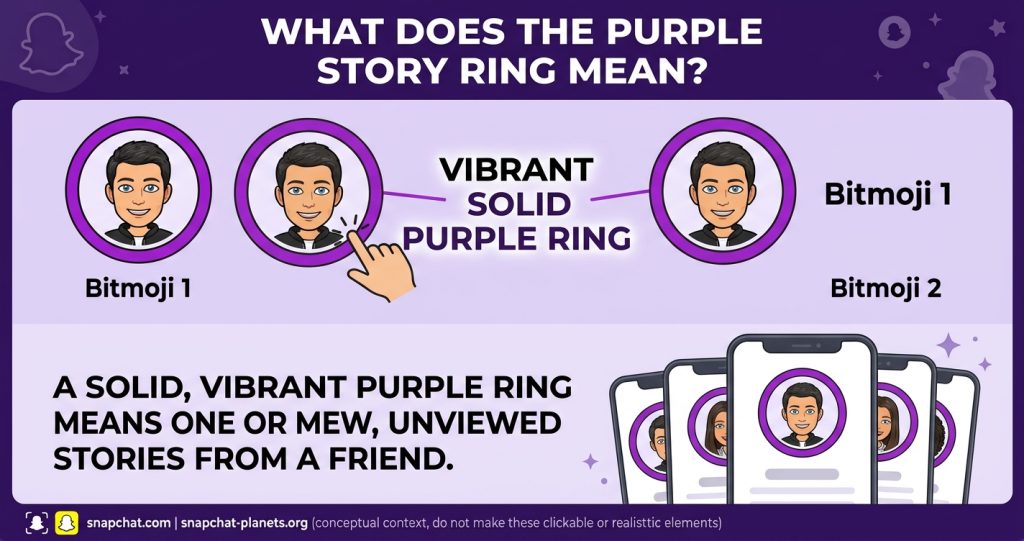
When the ring appears around a Bitmoji on the Stories screen, it tells you that there is content available to watch. A Story is a collection of Snaps that plays in sequence and is available for a limited period. Snapchat says friends’ Stories can be viewed during their active period, normally 24 hours.
The ring is useful because you do not have to remember which friends posted recently. Instead, Snapchat highlights profiles with fresh, unviewed content.
What It Does Not Mean
The purple ring should not be confused with other Snapchat activity indicators. It does not, by itself, tell you:
- Someone is currently online.
- Someone is typing a message.
- Someone took a screenshot.
- Someone sent you a private Snap.
- Someone has added you back.
- The Story contains a particular type of photo or video.
The context matters. For example, Snapchat’s support documentation says a red or purple square on the Friends screen means a friend has sent you a Snap. That is different from a purple Story ring.
What Does the Purple Circle Mean on Snapchat Around a Bitmoji?
When users ask what does the purple circle mean on snapchat after seeing a ring around a Bitmoji, the answer is usually an available Story that has not been viewed. The ring is about content availability, not a hidden relationship or activity signal.
Read More: Snapchat Planets Order, Meaning & Friend Solar Systems Work
Purple Circle Around a Bitmoji
A purple circle around a Bitmoji usually means that profile has Story content available that you have not watched. You may see it on the Stories page or in areas where Snapchat displays Story previews.
This is why users sometimes think the ring is an activity status. It is better understood as a content indicator rather than a presence indicator. The ring is there to draw your attention to a Story, not to reveal whether the person is actively using Snapchat at that moment.
Purple Circle in Quick Add or Add Friends
You may also notice a purple ring around someone’s Bitmoji in Quick Add or the Add Friends area. Third-party explanations consistently describe this as a sign that the user has Story content available, especially when the profile is public.
However, do not assume the ring means Snapchat is recommending that person because they are online. Quick Add is a friend-discovery feature, while the purple ring is connected to visible Story content. The two features can appear together without the ring representing a friendship recommendation.
Purple Circle vs. Blue Circle on Snapchat
One of the most common sources of confusion is the difference between purple and blue Story rings.
| Indicator | Common context | What it generally tells you |
| Purple ring | Stories screen | New or unviewed Story content |
| Blue ring | Story preview accessed from certain areas | Story preview in that part of the app |
| Red square | Friends/Chat screen | Unopened Snap without audio |
| Purple square | Friends/Chat screen | Unopened Snap with audio |
| Gray ring | Viewed Story state in many app contexts | Content has already been viewed |
Older and current explainers note that Snapchat can use different ring colors depending on where you access a Story. For example, a Story opened through the Chat or friends area may have a blue ring, while the Stories page can show purple. The color does not necessarily mean that the underlying Story contains different content.
What Does the Purple Circle With a Lock Mean?
A purple ring with a small lock is different from an ordinary Story ring. The lock indicates that the Story is a Private Story. Snapchat confirms that Private Stories have a padlock icon and that only friends selected by the creator can view them.
So, if you see a lock, the important part is not simply the purple color. The lock is the clue that the Story has restricted visibility. Being able to see that Story means you are among the people allowed to view it.
Purple Ring vs. Private Story
| Feature | Regular Story | Private Story |
| Purple Story ring | Can appear | Can appear |
| Lock icon | No | Yes |
| Audience | Depends on Story privacy settings | Selected friends |
| Who controls access? | Creator and privacy settings | Creator chooses viewers |
Does the Purple Circle Mean Someone Is Online?
No. A purple Story ring should not be treated as proof that someone is online right now. It tells you about Story content, not real-time presence.
This distinction is important because Snapchat uses several visual indicators for different purposes. Seeing a ring means you have content to check; it does not provide reliable information about when the person last opened the app.
Does the Purple Circle Mean They Posted a Video?
Not necessarily. On the Stories screen, the purple ring mainly indicates that you have Story content available to view. It does not reliably tell you whether the Story contains a photo, video, or a mixture of Snaps.
The color system can mean something different when used for message icons. Snapchat’s official support explains that a purple square on the Friends screen represents a Snap, while the ring around a Story is a separate visual cue.
What Happens After You Watch the Story?
After you open the Story, the unviewed indicator should no longer be treated as new content. Many Snapchat guides describe the ring changing to gray or disappearing after the Story has been viewed, depending on the part of the app and current interface.
Snapchat itself confirms the practical test: when there is no Story preview beside a friend’s name, you are caught up with that friend’s Story.
If the ring still appears, give the app a moment to refresh before assuming something is wrong.
Why Is the Purple Circle Still Showing?
If the ring remains after you watched a Story, several normal explanations are possible:
- A new Story was posted. The person may have uploaded another Snap after you watched the earlier one.
- The app has not refreshed. Closing and reopening Snapchat can refresh the Story list.
- You only watched part of the Story. A Story can contain multiple Snaps, so check whether more content remains.
- The interface changed. Snapchat regularly tests and updates its design, so colors and placements can vary between app versions.
- A temporary app issue occurred. Updating Snapchat can help if the problem continues.
The safest approach is to check the Story again rather than assuming the ring represents a hidden message or special status.
Purple Circle vs. Purple Snap Icon
The word “purple” can cause confusion because Snapchat uses it in more than one part of the interface. A purple ring around a profile is associated with Story presentation, while a purple square or other filled Snap icon can indicate an unopened Snap with audio. Snapchat’s support center specifically documents red and purple squares as incoming Snaps.
That means you should always look at the shape and location of the icon before interpreting it.
Quick Identification Guide
- Purple ring around Bitmoji: Check for a new or unviewed Story.
- Purple lock/ring: You have access to a Private Story.
- Purple square in Friends/Chat: An unopened Snap with audio may be waiting.
- Blue Story ring: The Story is being displayed through another area of Snapchat’s interface.
- No Story preview: You are generally caught up with that friend’s available Story.
How to Check a Story Safely
If you see a Story indicator and want to know exactly what it refers to, the process is straightforward:
- Open Snapchat.
- Go to the Stories or Friends area where the profile appears.
- Find the Bitmoji with the Story ring.
- Tap the circular preview.
- Watch the available Snaps.
- Return to the Story list and check whether the new-content indicator is gone.
Snapchat’s official instructions say you can tap a friend’s tile on the Stories screen to watch their Story. On the Chat screen, a circular preview beside a friend’s name can also be tapped to view an updated Story.
Can Someone Tell That You Viewed Their Story?
Yes. Snapchat provides Story-view information to the person who posted the Story. According to Snapchat Support, a user can open My Story and swipe up to see viewers, with names available for up to 200 Snapchatters before only a total number is shown.
This means the purple ring itself is not a secret viewing signal. If you tap the Story, the creator may be able to see that you viewed it through Snapchat’s normal Story-view system.
Common Snapchat Color Meanings
Understanding the broader color system can make the purple ring less confusing.
| Color or symbol | Typical meaning |
| Purple Story ring | New/unviewed Story content |
| Purple square | Unopened Snap with audio |
| Red square | Unopened Snap without audio |
| Blue square | Unopened chat message |
| Lock icon | Private Story |
| Gray Story indicator | Previously viewed or no longer new in many contexts |
These meanings are context-dependent, and Snapchat can change its interface over time. Official Snapchat documentation should take priority if the appearance on your device differs from older guides.
FAQs:
What does the purple circle mean on snapchat for friends?
It generally means the friend has Story content available that you have not viewed yet. Tap the Story preview to see it.
What does the purple circle mean on snapchat if there is a lock?
A lock means the Story is Private. Only people selected by the Story creator can view that content.
Does a purple circle mean someone is active on Snapchat?
No. The ring is associated with Story content, not reliable real-time online status.
Does the purple ring mean someone posted a video?
Not necessarily. On the Stories screen, it mainly signals new or unviewed Story content rather than identifying whether the content is a photo or video.
Why does the purple circle disappear after I watch a Story?
Because the Story is no longer unviewed for you. Snapchat uses Story previews to help users distinguish new content from Stories they have already watched.
If you are still asking the Snapchat purple circle after watching it, remember that the indicator is designed to separate new Story content from content you have already viewed. Snapchat’s circular Story preview is tied to whether you are caught up.
Why is the purple circle still there after I watched the Story?
The person may have posted another Snap, or Snapchat may not have refreshed immediately. Reopening or updating the app can help.
What does a purple square mean on Snapchat?
A purple square on the Friends screen means a friend has sent you a Snap, according to Snapchat Support. It is different from a purple Story ring.
Can I turn off Snapchat purple Story indicators?
Snapchat does not provide a standard setting specifically designed to hide the normal Story-preview indicator. You can simply leave the Story unopened or manage your broader notification preferences.
Does the purple circle mean someone added me?
No. A Story ring should not be interpreted as a friend request or confirmation that someone added you back.
Can people see if I watched their Story?
Yes. Snapchat provides Story-view information to the person who posted the Story, including viewer names within its stated limits.
Conclusion
Understanding what does the purple circle mean on snapchat is much easier once you separate Story indicators from chat icons. In most cases, the purple ring tells you that new Story content is available and you have not viewed it yet.
A lock adds another clue: it indicates a Private Story with a limited audience. Purple squares in the Friends or Chat screen are different and can indicate an unopened Snap with audio. Because Snapchat’s interface can change, the safest way to interpret an icon is to consider its shape, location, and surrounding symbols. Once you recognize these differences, Snapchat’s color-coded interface becomes far less confusing and you can quickly tell whether you are looking at a Story, a private update, or an incoming Snap.


